Workflow
After file opening, the main window of GRS displays available report information for editing.
You can edit test identification part, injection parameters and tests parameters
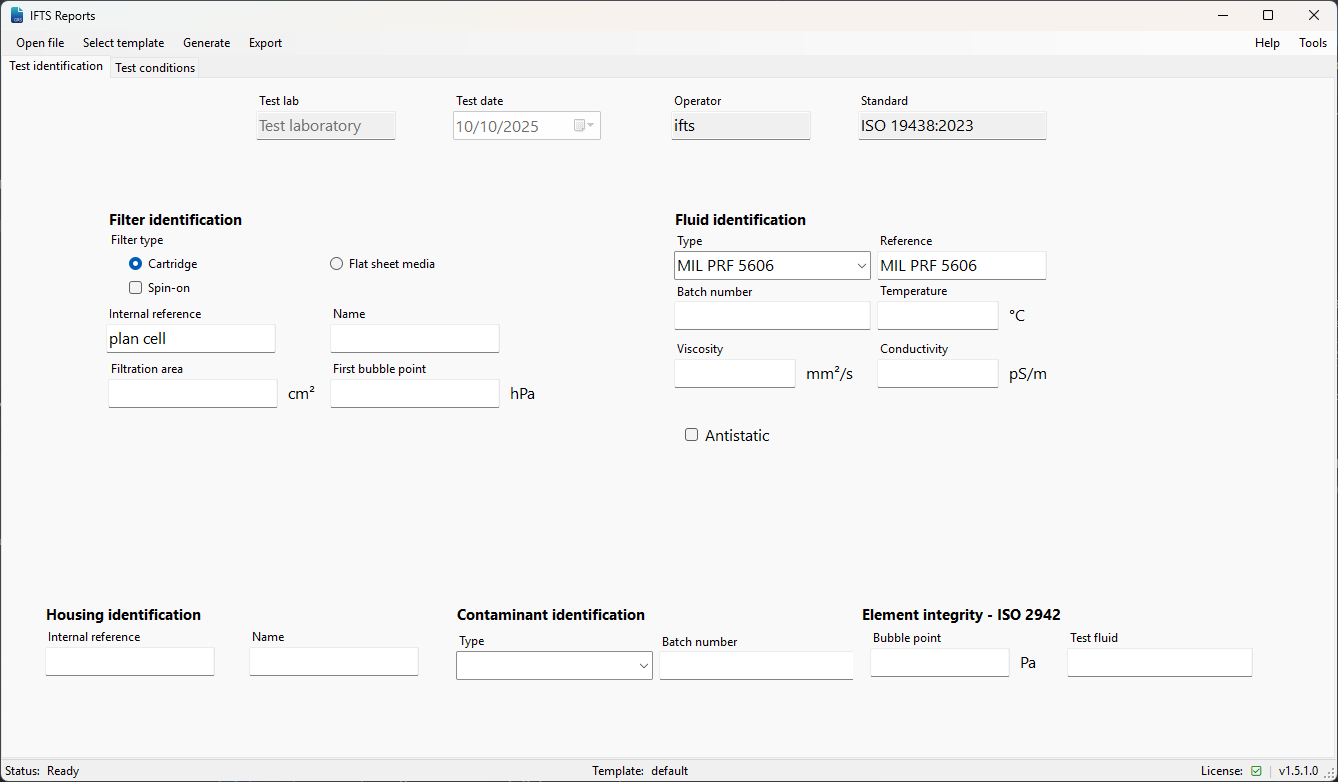
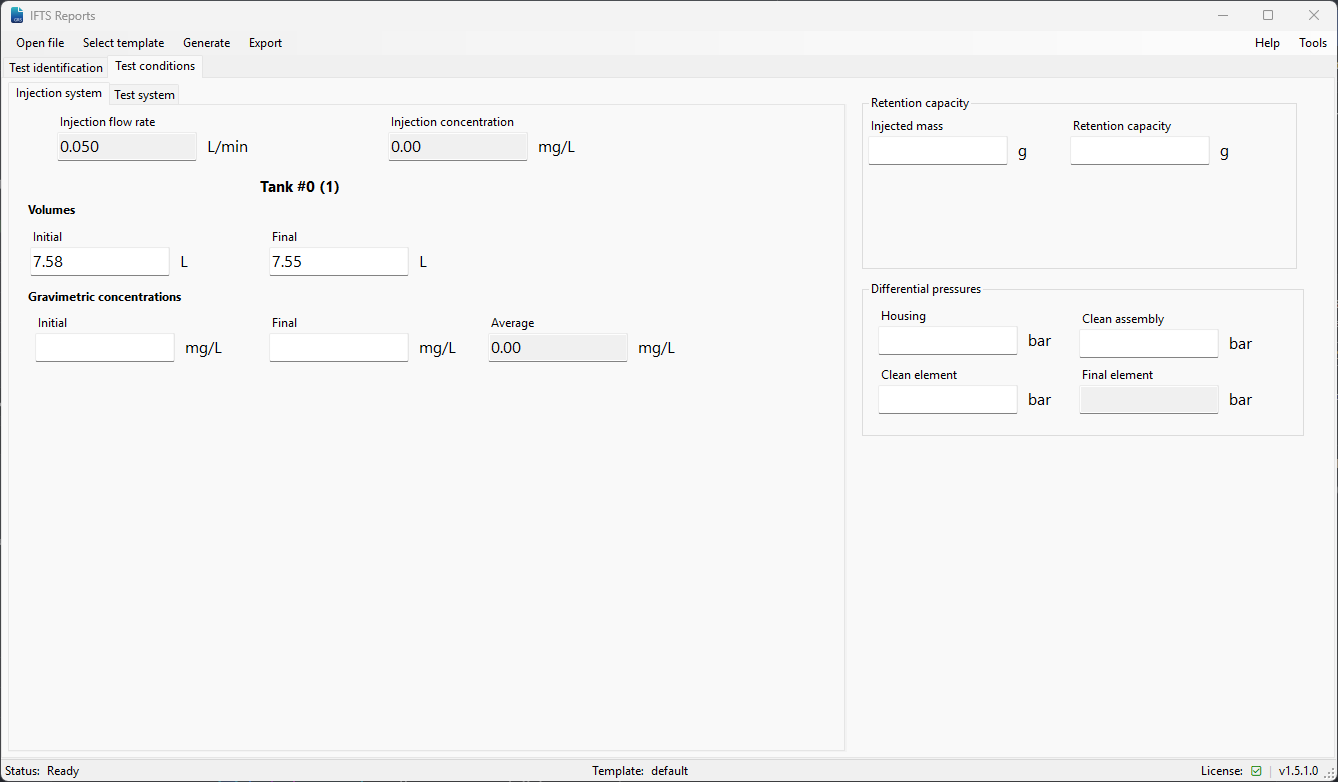
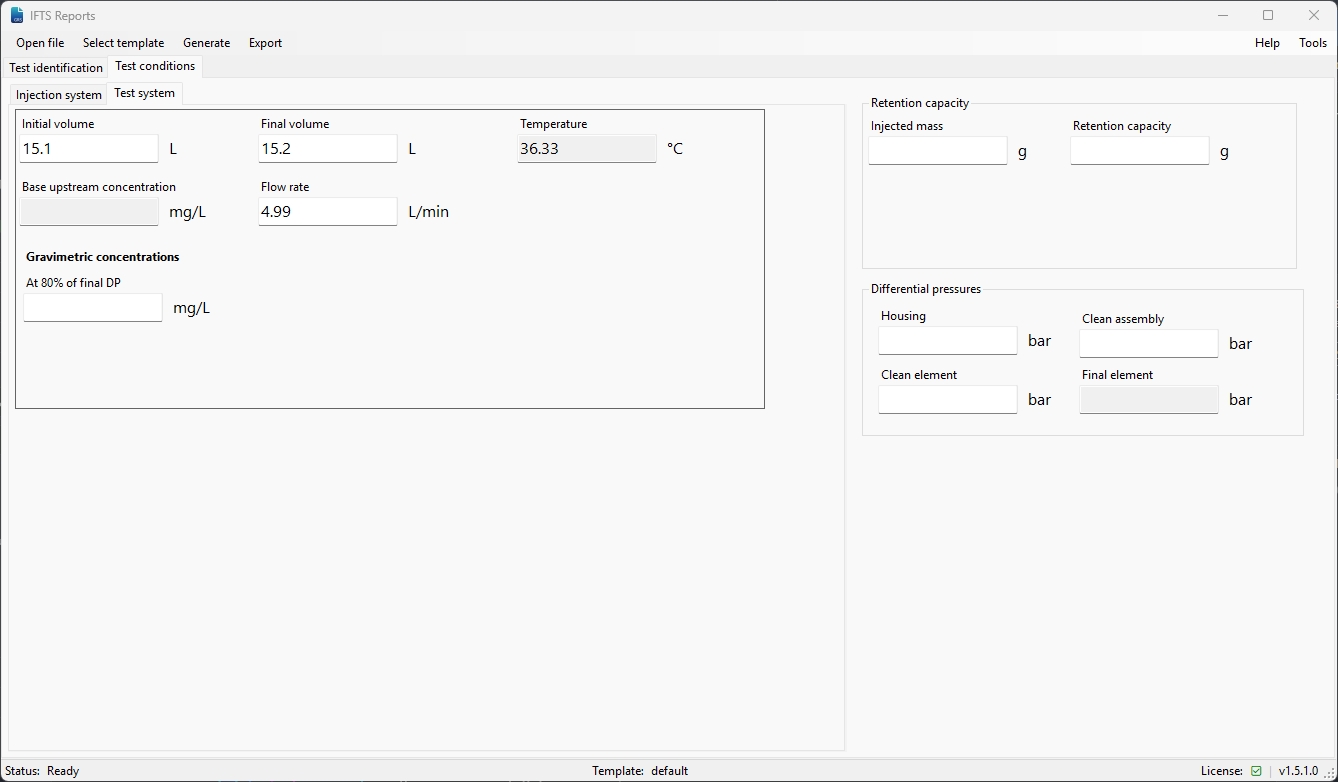
When all required informations are filled you can click on the Generate button.
If your test have been done with multiple particle counter you must chose which one to do generate report on.
You must select particle counter channels to uses in report calculation.
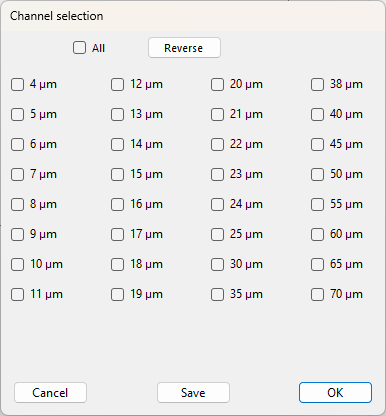
Note: the Save button allow you to set the current channel selection as the default one for all future reports.
That’s all, your report is being generated and saved at the location you’ve selected.